Features
Everything you need to enjoy your music library
Crash & Hang Diagnostics
On-device reporting that helps us squash crashes fast — with no tracking.
- MetricKit captures crashes, hangs, and exceptions automatically
- View reports under Settings → Diagnostics and copy one to share
- Stored locally only — nothing is uploaded automatically
Diagnostics
Mini Player
- Capsule-shaped mini player with spinning vinyl album art
- Long-press for quick actions: Go to Album, Artist, Play Next, Start Radio
- Circular progress ring shows playback position
- Tinted background with album art dominant color
- Swipe left/right for next/previous track
- Up Next subtitle and quick playback controls
iOS & macOS
Spinning Vinyl
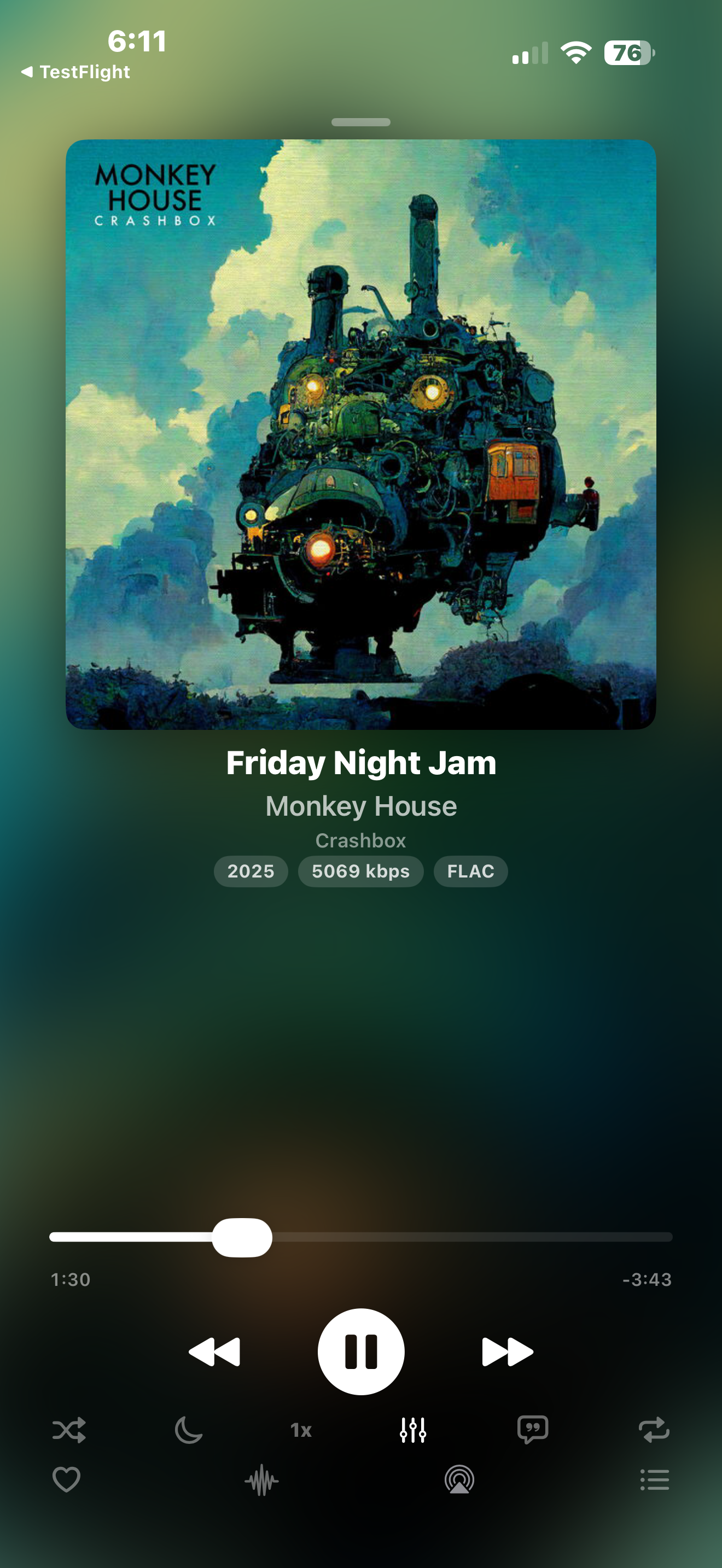
Now Playing
- Tap song, artist, or album name to navigate to detail pages
- Heart, 5-star rating, and queue in one row
- Shuffle and repeat alongside transport controls
- Drag-to-reorder toolbar: Visualizer, EQ, AirPlay, Lyrics, Radio Mix, Settings
- AirPlay output to speakers, Apple TV, TVs, or a multi-room group
- Radio Mix button spins up a queue of songs similar to the current track
- Optional toolbar background pill (Settings > Player)
- Landscape layout: album art left, controls right
- Quick Settings sheet with crossfade preview
- Now playing indicator: animated waveform on current track
- "Playing from" context: Playlist name, Shuffle mode
- Swipe tracks: right = Play Next, left = Add to Queue
- iOS 26 Liquid Glass toolbar with frosted glass background
- Custom sliders: thin progress bar with dot, thumbless volume
- Streaming info with WiFi/download indicators
- Gapless playback with crossfade support
- 10-band equalizer with presets and ReplayGain
iOS & macOS
Android
Web
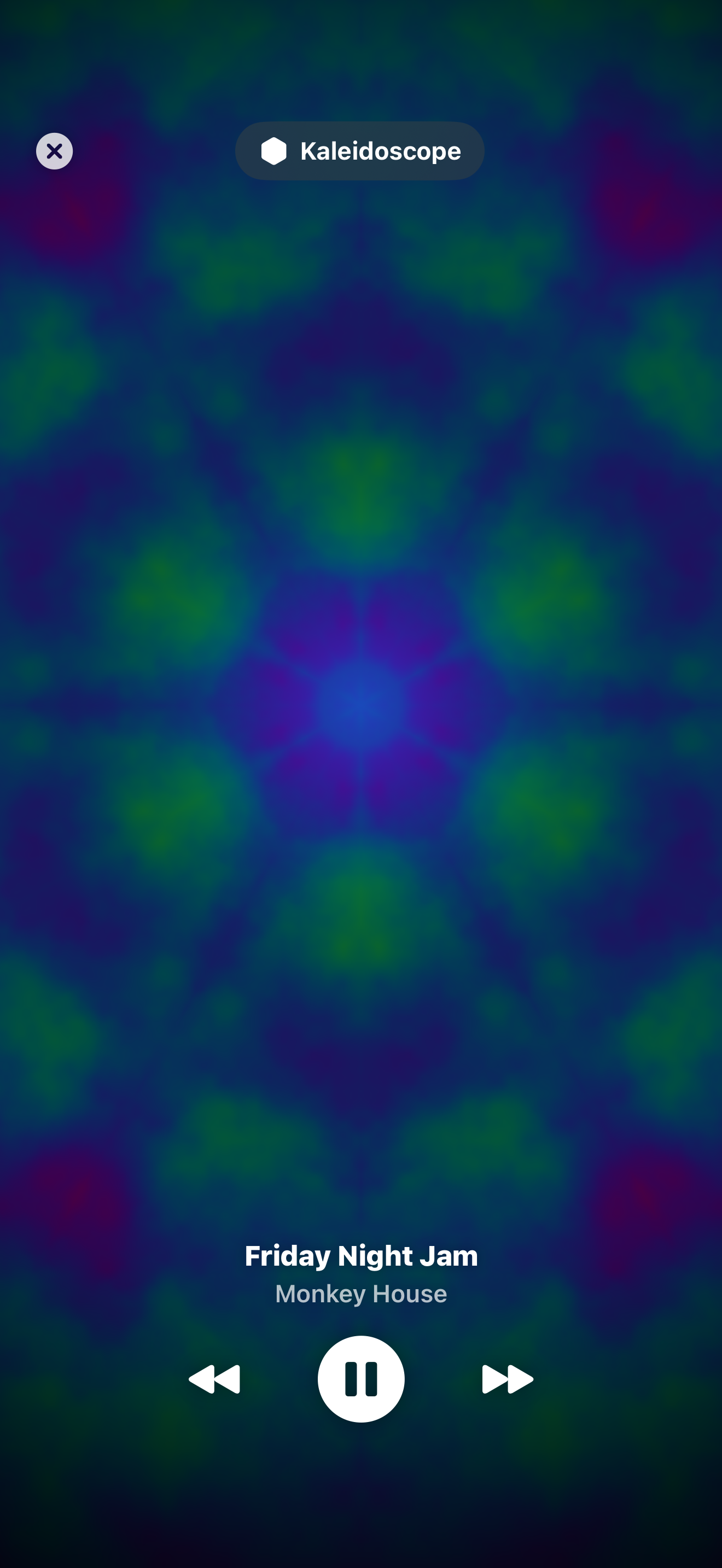
Audio Visualizers
- Classic: 18 Metal shader presets on iOS (default)
- Native Visualizer: in-house GPU Metal engine with dozens of music-reactive scenes on iOS
- Milkdrop engine on Android & Web
- Real 32-band FFT drives Spectrum, Waveform, and Aurora (bass on the left, treble on the right)
- Classic peak-hold caps on Spectrum preset
- Audio-reactive GPU rendering
- Photosensitivity controls in Settings > Accessibility
iOS & macOS
Android
Web
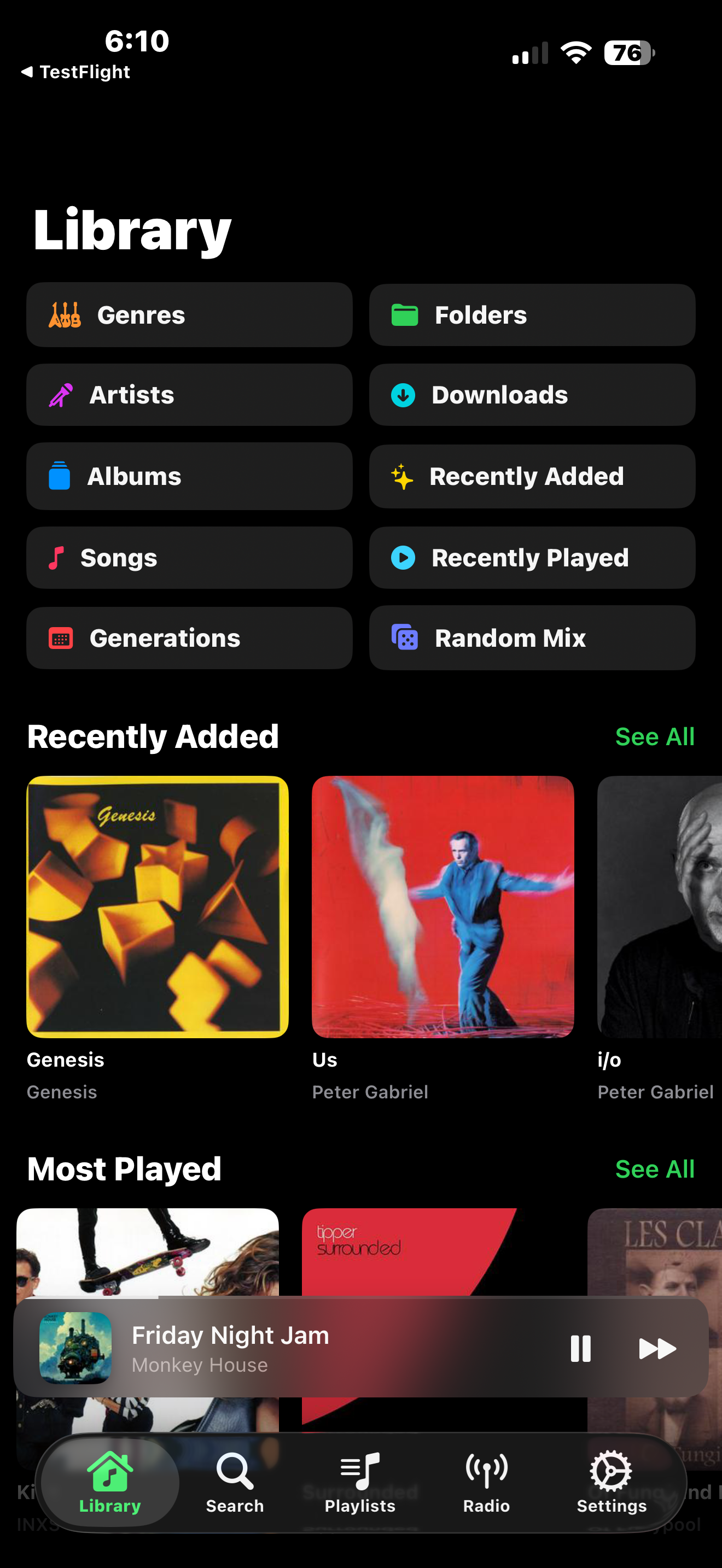
Library
- Customizable layout — reorder & hide sections
- Optional dock tabs: Artists, Albums, Songs, Genres, Favorites (Settings > Tab Bar)
- Always-visible search bars on all browse views
- Relevance-ranked search (exact matches first) with a result-type scope selector (All / Artists / Albums / Songs)
- Refine results with Year and Format filters, plus fuzzy matching that tolerates minor typos for artists and albums
- Streamlined toolbar: + button and profile menu
- Profile menu with server name, green connection dot, music folders, downloads
- Tappable artist name on album detail navigates to artist page
- Genre artwork, decade cards, play history
- Library folder switching for multi-library servers
- Smart playlists, artist radio, and playlist sharing
- Deep links: vibrdrome:// URLs for sharing songs directly
- Backup & restore all settings as a JSON file
iOS & macOS
Android
Web
Album Detail
- Full-bleed parallax album art that shrinks and fades on scroll
- Apple Music style buttons: Shuffle, Play pill, Download
- Lossless badge for FLAC/ALAC/WAV albums
- Per-track tappable heart, download, and inline menu
- Multi-artist tracks show each credited artist as a separate tappable link; Various Artists albums show the real per-track artist
- Album editions (e.g. “Deluxe Edition”) shown separately from the album title
- Multi-disc separators with named disc titles, and a similar albums carousel
- Artist biography and similar artists on artist pages
iOS
Get Info
- Long-press any song, album, or artist to open Get Info
- Overview tab: cover art, title, year, duration, bitrate, format, ReplayGain, MusicBrainz and Last.fm links
- OpenSubsonic detail: Credits (composer, contributors, album artist) and Classical (works, movements, groupings) for songs; release / original-release dates, moods, compilation flag, disc titles, ISRC, bit depth, and sampling rate for albums
- Raw Metadata tab: full Subsonic API payload plus Navidrome file tags (rawTags)
- iOS opens as a sheet; macOS opens its own window (multiple can be open at once)
- Mac supports a keyboard shortcut via the Navigate menu
iOS & macOS
macOS Power User
- Redesigned artist detail page with hero header, expandable biography, genre pills, and customizable external links (Last.fm, MusicBrainz, Wikipedia, Google by default)
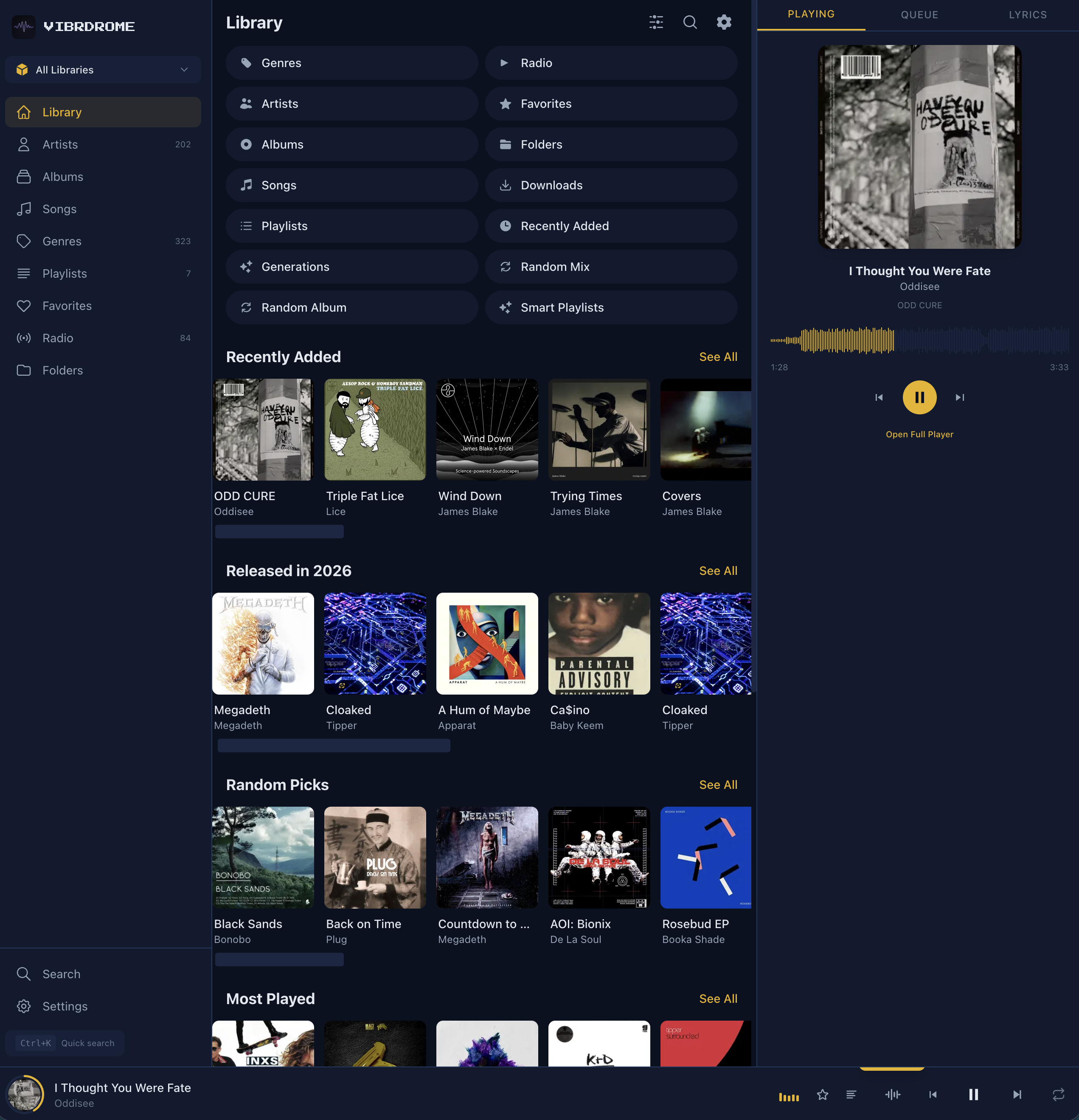
- Home page with configurable discovery sections: Quick Actions, Jump Back In, Recently Added, Most Played, Random Picks, Featured Genre
- Loading screen on cold launch shows sync/cache progress before transitioning to home
- Reorderable, persisted column-based song table (11 columns: track, title, artist, album, duration, year, genre, bitrate, format, BPM, date added)
- Library filter sidebar: multi-select genre / label / artist with TriState favorites and downloaded toggles
- Navigate menu: Go to Search (⌘K) and Focus Search (⌘F)
- CMD+F is intercepted before AppKit's Find panel can claim it
- Get Info opens as its own window, not a modal
- Menu bar commands for Playback and Navigation
- Standalone Mini Player window and dedicated Settings window
macOS
CarPlay & Android Auto
- Browse your library from your car's dashboard
- Browse, play, and skip from the car
- Now Playing template with shuffle, repeat, and progress tracking
- Up Next queue for viewing upcoming tracks
- Two-letter drill-down for Artists and Albums so large collections are navigable
- Albums alphabet directory reads the full local library so every letter appears regardless of server sort order
- Now Playing button and iOS lock-screen widget show immediately on cold launch with a restored queue
- Reconnection state refresh on CarPlay reconnect
- Station artwork in CarPlay
iOS
Android
🚗
Dashboard Integration
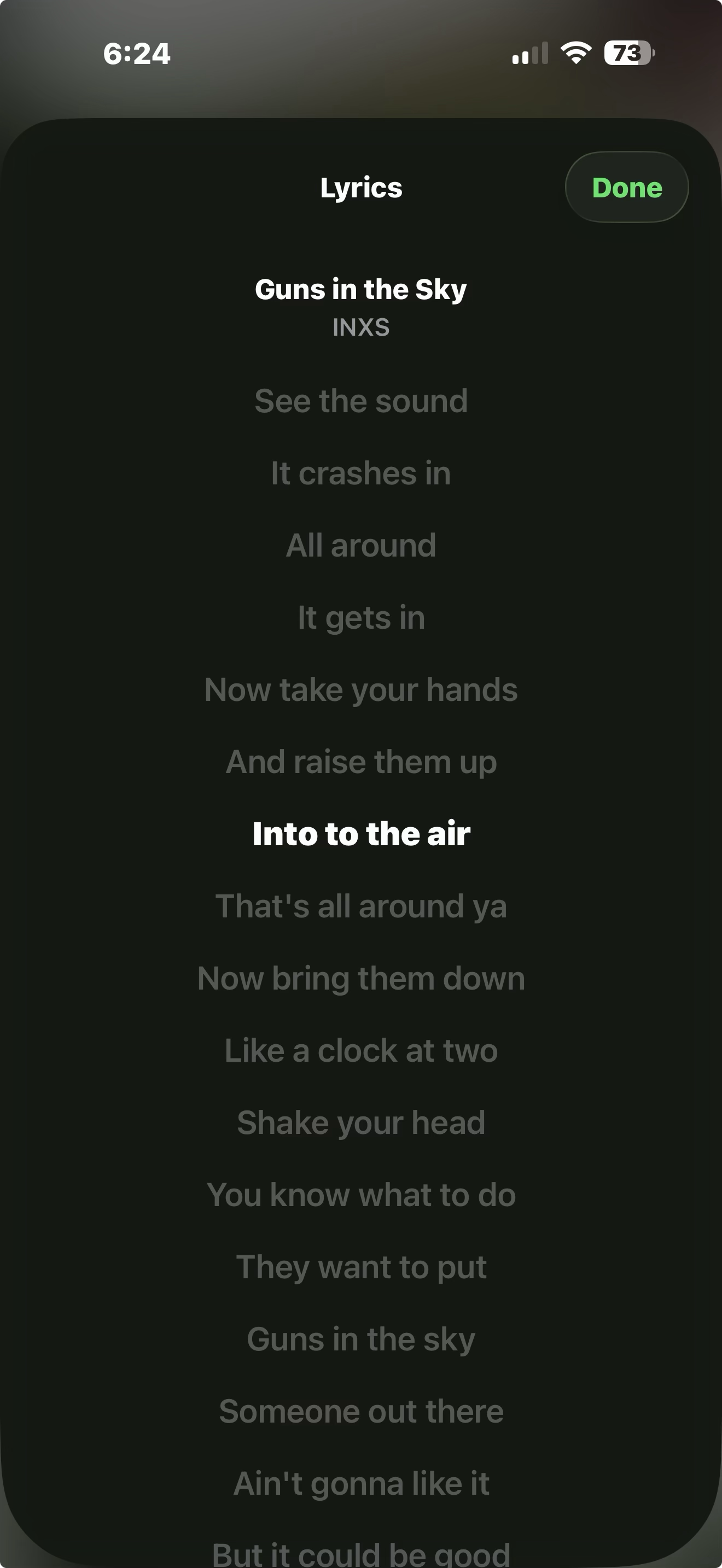
Synced Lyrics
- Time-synced scrolling lyrics
- Word-level “karaoke” highlighting for tracks with word-timed lyrics — the current word lights up in time with the music
- Choose a highlight style (Line Only / Word / Word + Dimmed) and an active-word color (Accent, Yellow, Green, Blue, Pink, Orange)
- Tap any line to seek to that position
- Internet fallback (LRCLIB) when your server has no lyrics — synced when available, otherwise plain; toggle in Settings
- Per-song timing nudge to shift lyrics earlier/later when a track is slightly off
iOS & macOS
Android
Web
Home Screen Widget & Siri
- Now Playing widget with album art
- Siri Shortcuts: "Play my favorites", "Play a random mix"
- "Play Playlist" action — play any playlist by name from Shortcuts or Siri
- Toggle playback, skip tracks hands-free
iOS
🔢
Widget & Voice Control
Smart Queue
- Full queue view: all tracks visible, passed-over tracks dimmed
- Tap any track to play without hiding others
- Auto-Suggest: continues with similar songs (toggleable in Settings)
- Save current queue as a playlist
iOS
🔀
Smart Queue
Jukebox Mode
- Play music through your Navidrome server's speakers
- Full remote control: play, stop, skip, shuffle, volume
- Queue management with tap-to-skip
- Add songs from anywhere via context menu
iOS & macOS
Offline Mode
- Tap the offline banner to browse your downloads instantly
- Downloads grouped by album, with a Playlists section, so your offline library keeps its structure
- Search works offline against downloaded songs
- Play All / Shuffle your downloaded library, or any downloaded album or playlist
- Download status indicators on all tracks
- Offline playback uses local files, no server needed
iOS
Android
✈
Offline Playback
Web App
- Full library browsing in the browser
- Milkdrop visualizer with Butterchurn
- 8 themes including Retro and Terminal
- Docker deployment support
Web
Scrobbling
- Subsonic server scrobbling (play counts, now playing)
- ListenBrainz integration with user token authentication
- Last.fm scrobbling with username/password sign-in flow
- Offline scrobble queue — queued when offline, flushed on reconnect
- Now Playing notifications sent on track start
- Listen submitted after 50% playback threshold
iOS & macOS
Apple Watch
- Now Playing with album art, progress bar, and elapsed time
- Playback controls: play/pause, next, previous
- Star songs, toggle shuffle and repeat from your wrist
- Browse queue, skip to any upcoming track
- Library access: favorites, playlists, recent albums
- Sleep timer controls with multiple duration options
- Digital Crown volume control
watchOS
Discord Rich Presence
- Show what you're listening to in your Discord status
- Displays song title, artist, album, and play/pause state
- Elapsed time tracking with timestamps
- Toggle on/off from Settings
macOS